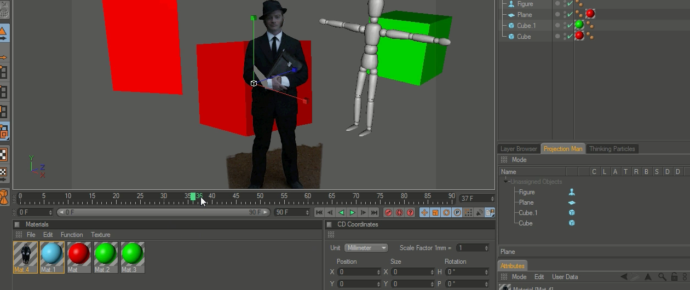
C4D Quick Tip: 01 Working with Greenscreen Footage.
Here is a quick tip when working with greenscreen footage inside of Cinema 4D.
Trackback URL: https://www.vfxdaily.com/cinema-4d-quick-tip-01-working-with-greenscreen-footage/trackback/

Here is a quick tip when working with greenscreen footage inside of Cinema 4D.
Trackback URL: https://www.vfxdaily.com/cinema-4d-quick-tip-01-working-with-greenscreen-footage/trackback/
6 Comments
Love your site man keep up the good work
Nice.. seems so simple once someone points it out huh?
So can you have your CG objects orbit around your “greenscreen footage” (gsf) by placing your (gsf) in a background and foreground object at the moments you want CG to pass in front or behind? does that make sense?
Yep, that sounds like you got it. Sometimes it will make sense to place your footage on a plane object but it’s great to know the capabilities of the FG and BG object.
You know, I slapped myself on the head, on my way to work yesterday thinking..
Why not just use a plane?
hehe. thanks for the heads up.
good tips, thanks 🙂 i dont see a lot of talk in the mograph community about the workflow of mixing live-action with C4D so its nice to see some tutorials coming out 😉
Your welcome. Glad you found it useful! That’s one of the very reasons I made this site. When I first started I couldn’t find any resources for VFX and C4D especially integrating live action footage. So stay tuned for more :).
Please add widgets to the "Blog Sidebar" sidebar area in Appearance / Widgets menu.